Incorporating AI into Instruction
1August 11, 2024 by Dr. Robbie Barber
Ignoring the advance of artificial intelligence (AI) in the schoolhouse will ultimately hurt students. This does not mean you must go all in on Day One. It means that you need to consider what skill sets students need to use it successfully, along with the cautions that go with any product. This blog post is in response to Week 8 of the #8WeeksofSummer: How are you prepared to accommodate AI into your current instruction?
In some ways, this is a summary of this summer’s research and review. In Week 3: Guiding Students in Using AI, I wrote about using MagicSchool.AI‘s new MagicStudent section. I want students to learn and practice asking for something. Then students should modify it repeatedly to get them closer to a usable result. This is called prompt engineering and it is fast becoming its own discipline.
I started with a group this week with some of my IB juniors and seniors. They were given three tools to use in MagicStudent: College and Career Counseling, Real-World Connections, and Thank You Notes. These students may not need these tools, but I asked them to spend the week trying them out and I will get their input next week. I aim to expand this to most of my seniors within the next two months. I showed them how to use MagicStudent by running a live example. AI requires a lot of experimentation to add the right words and phrases to get closer to an answer you can use.
One of the reasons I like to start with MagicStudent is that students do not have to have a username or password. Instead, I told this small group to use their initials. Then I can see what they ask AND what the responses are. For example, one student went into the College and Career module:

Due to time constraints, I did not bring up picture proof, but before students got started, I talked to them about using Canva to create AI-generative images. Canva is a popular product and students are using it regularly. I wanted to point out the problems in its AI-generative images. Essentially, I shocked them with my results. I did it to remind them (again) that AI is biased and that even asking for information in MagicStudent would produce biases. It was on the student, as the end-user, to discern these biases.
Will I try to teach more about AI biases? Absolutely. But I cannot dive in with too much at once. I introduced it to hopefully have it in the back of their minds as they use the product. Back to students trying out the MagicStudent AI system, here is an example of a student asking a question and then asking for clarification. This process of asking a question and then a follow-up question is prompt engineering.
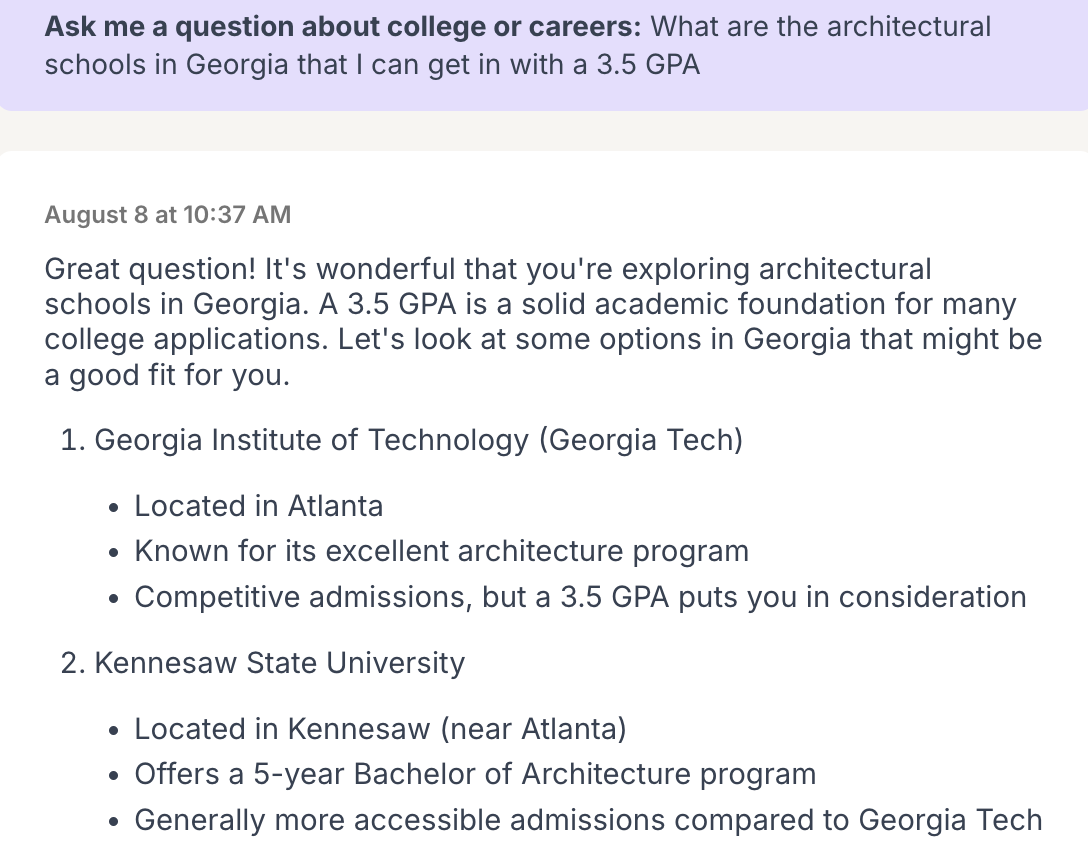
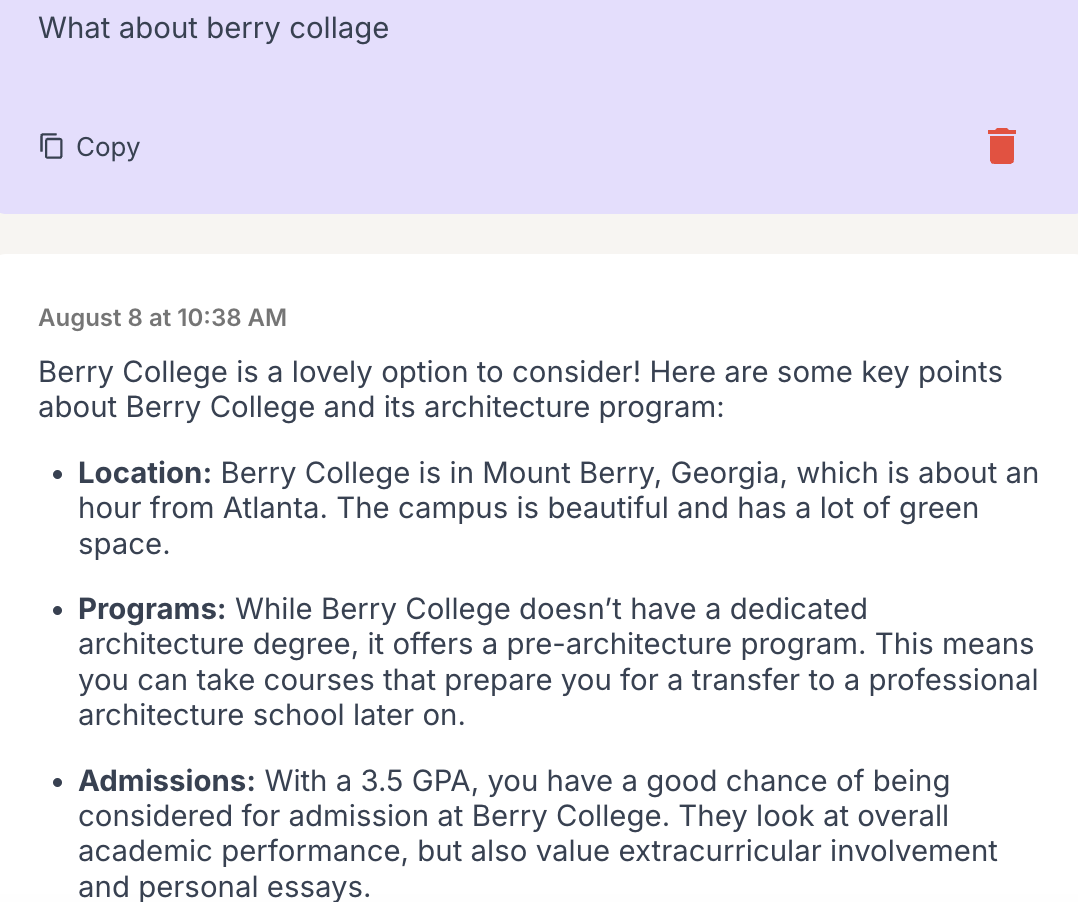
In terms of biases, these types of questions and answers seem safe. But ask yourself, why did it put certain schools before others? Did it do it alphabetically? Is it based on a list like 2024 Best Colleges in Architecture in America? One method of checking is opening multiple tabs and doing different searches (lateral reading) to help you analyze the results.
AI can manipulate and fool us. Ignoring it is not an option because you are already using it on computers, whether you are aware or not. But if we take responsibility for teaching everyone how to use it, how to question it, how to check for biases, and how to check ourselves for biases, we can use the tools with more confidence. We also need to practice.
Before beginning, check if your state, district, or school has an AI policy. I have been searching for AI policies for K-12 schools and compiled this list: Collected AI Policies.
A list of the 2024 summer’s blog posts on AI:
- Week 1: AI Is My Secretary
- Week 2: Using AI to Create Assignments
- Week 3: Guiding Students in Using AI
- Week 4: Accessibility with AI
- Week 5: AI Policy Considerations in the School Library?
- Week 6: Teaching that AI Is Biased
- Week 7: Training Teachers to Use AI
 Tickling Tech
[…] High School Students to Understand AI AI: No Such Thing As a Free Lunch Incorporating AI into Instruction Training Teachers to Use AI AI Policy Considerations in a School Library? […]
LikeLike